
Reporting template library
Start with a reporting structure you can understand.
Use a supported reporting template as a practical starting point, review what it includes and where it stops, then decide whether your reporting need calls for configuration, customization, or a purpose-built system.
- Two supported templates
- Documented limits
- Editable starting point

A useful template makes its boundaries visible.
- Available
- Documented
- Editable
- Human-reviewed
Available templates
Two practical starting points for clearer reporting.
Choose an editable GA4 report for Data Studio or a downloadable marketing-performance PBIX for Power BI. Both use demonstration data and require validation after connecting your own source.
Demonstration preview · Connect your own compatible GA4 property
Available now
GA4 Website Performance Dashboard
An editable Data Studio starting point for reviewing acquisition, engagement, and website performance from a GA4 property.
- Platform
- Data Studio
- Primary source
- Google Analytics 4
- Format
- Editable report copy
- Support
- Documented self-service setup
- It does not validate tracking or KPI definitions.
- Available fields depend on the connected GA4 property.
- Custom sources, calculations, and branding require separate scope.
The detailed Data Studio page provides direct report access and the setup boundary.
Synthetic demonstration data · Replace the sample source with your connector
Available now
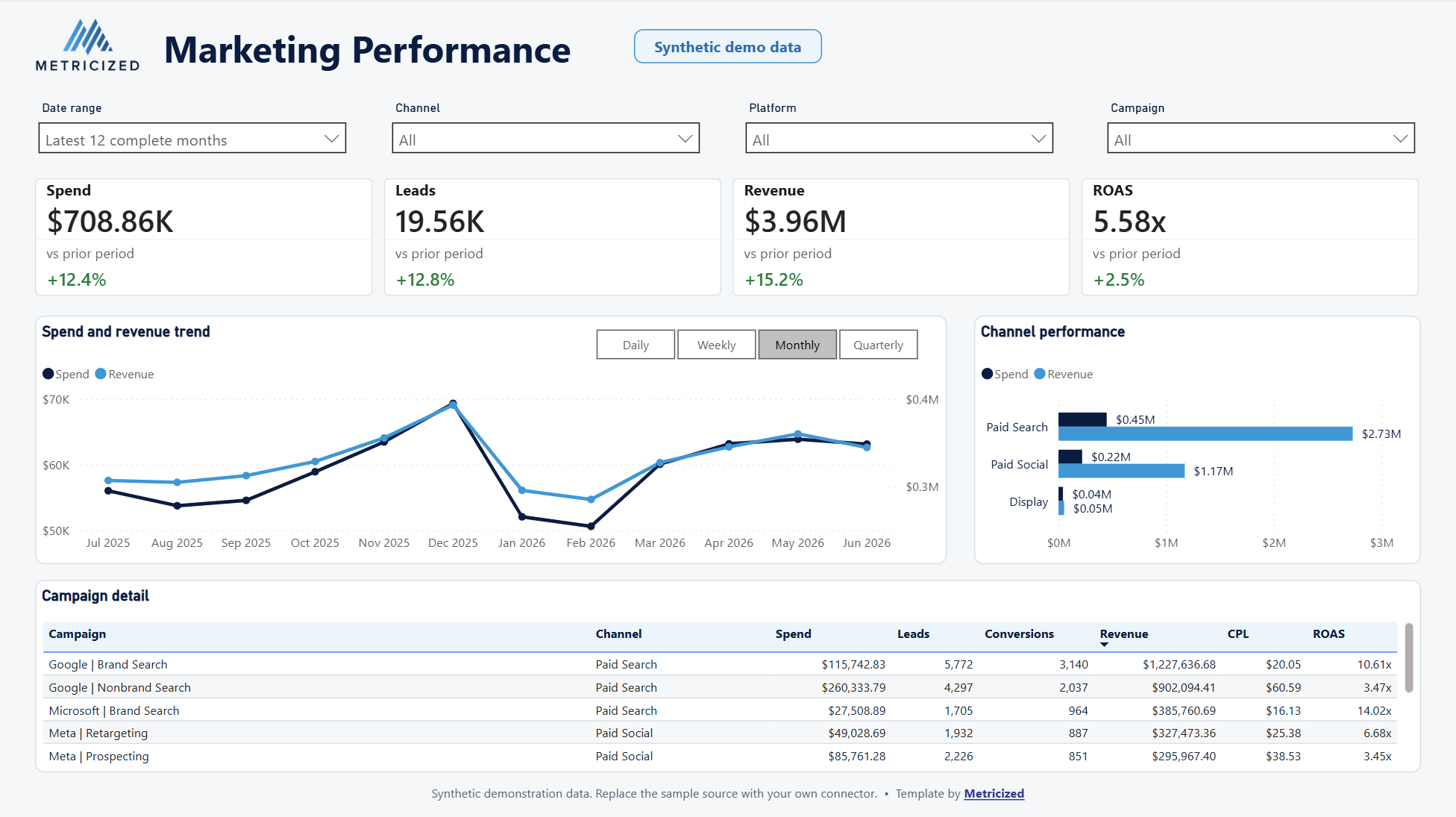
Marketing Performance Dashboard for Power BI
A working PBIX with prior-period comparisons, flexible trend grain, campaign detail, and maintained desktop and mobile layouts.
- Platform
- Power BI Desktop
- Sample source
- Synthetic marketing data
- Format
- Editable PBIX download
- Support
- Documented source replacement
- It does not connect automatically to your platforms.
- Fields and definitions must be mapped and validated.
- Refresh, governance, and deployment require separate planning.
Platform boundary
Two template platforms. Custom delivery when needed.
The public library reflects what can actually be delivered today. Custom reporting can use a different platform when the requirement calls for it.
Template available
Data Studio
A supported GA4 template for an accessible, Google-centered reporting workflow.
- Editable report copy
- GA4 demonstration preview
- Self-service setup path
Template available
Power BI
A downloadable marketing-performance PBIX with an editable model, synthetic sample data, and responsive layouts.
- Working report and semantic model
- Prior-period and trend controls
- Desktop and mobile layouts
Choose the right starting point
A template is useful when the structure fits the decision.
The question is not whether a free report or a custom build is better in general. It is whether the available structure, sources, and level of support fit the reporting need.
Use the template when
- GA4 is the primary source.
- The included structure fits the immediate questions.
- Self-service setup is appropriate.
- You can validate the connected metrics.
Consider a custom build when
- KPIs, branding, or calculations need to change.
- Multiple sources must be combined.
- Definitions or tracking quality are uncertain.
- A different model, source structure, or governed delivery is required.
Reporting guidance
Use the report with clearer context.
Current guides for building, sharing, and troubleshooting Data Studio reports.
Template or custom reporting
Use the template as a starting point—not a constraint.
If the available structure fits, start with the supported Data Studio template. If the platform, source model, or reporting question is different, describe what needs to be understood.